AI for Dev EP.1: Giving AI Hands to Control Your App with MCP
3 June 2026
/51 mins read
AI
MCP
AIAgent
Developer
SoftwareDevelopment
Hey everyone — hope you’re all doing well. I’ve been chugging along myself, some good days, some slow ones, but keeping the wheels turning.
Today we’re kicking off a brand new series called AI for Dev. In this first episode, we’re going to get acquainted with a pretty interesting standard — MCP, or Model Context Protocol.
This topic ties into a talk I had the chance to give at Agent Camp Bangkok 2026, titled “No Hero Needed: Give AI Agents Hands with Microsoft Foundry, MongoDB, and MCP”
You can catch the replay here: https://youtu.be/YlzXTZyHrkg
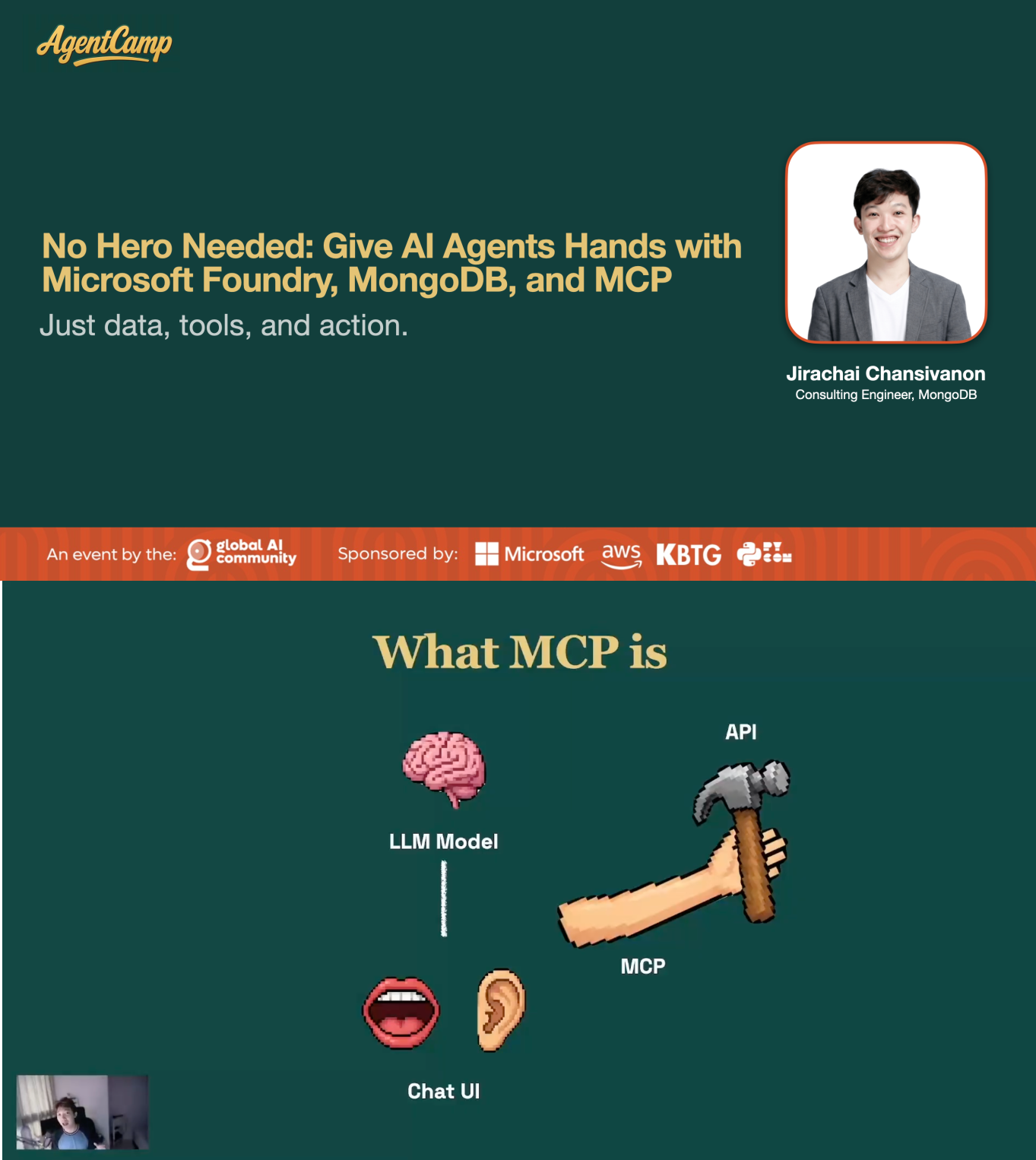
That talk was about building AI Agents without having to hand-code everything at the agent layer — leaning on Microsoft Foundry Agent Service to handle that part, using MCP as the bridge between the AI Agent and our app, and using MongoDB for storage (both document and vector database) so the AI Agent can do semantic search efficiently.
Before we dive into MCP, let’s get our bearings on what it actually takes to move AI from “answering questions” to “getting things done.”
From “Answering Questions” to “Taking Action”
In the early days of AI development, we mostly used AI to answer questions or surface information — things like “Why is the sky blue?” or “Who was the 21st Prime Minister of Thailand?” The AI responded with text based on knowledge it already had, up to its knowledge cutoff.
But as time went on, we started wanting more. We wanted AI to actually do things — “Book me a movie ticket,” “Send this email to the client.” At that point, just answering questions isn’t enough. The AI needs to connect with our actual systems and act on them. That’s what we mean when we say AI should “take action.”
To get there, we have a concept called Function Calling or Tools. It lets AI invoke functions or tools from outside the model — calling APIs, querying databases, running functions, interacting with our application — without us hard-coding every path.
If the model is the AI’s brain, then Function Calling and Tools are the hammers and wrenches it can pick up to get work done.
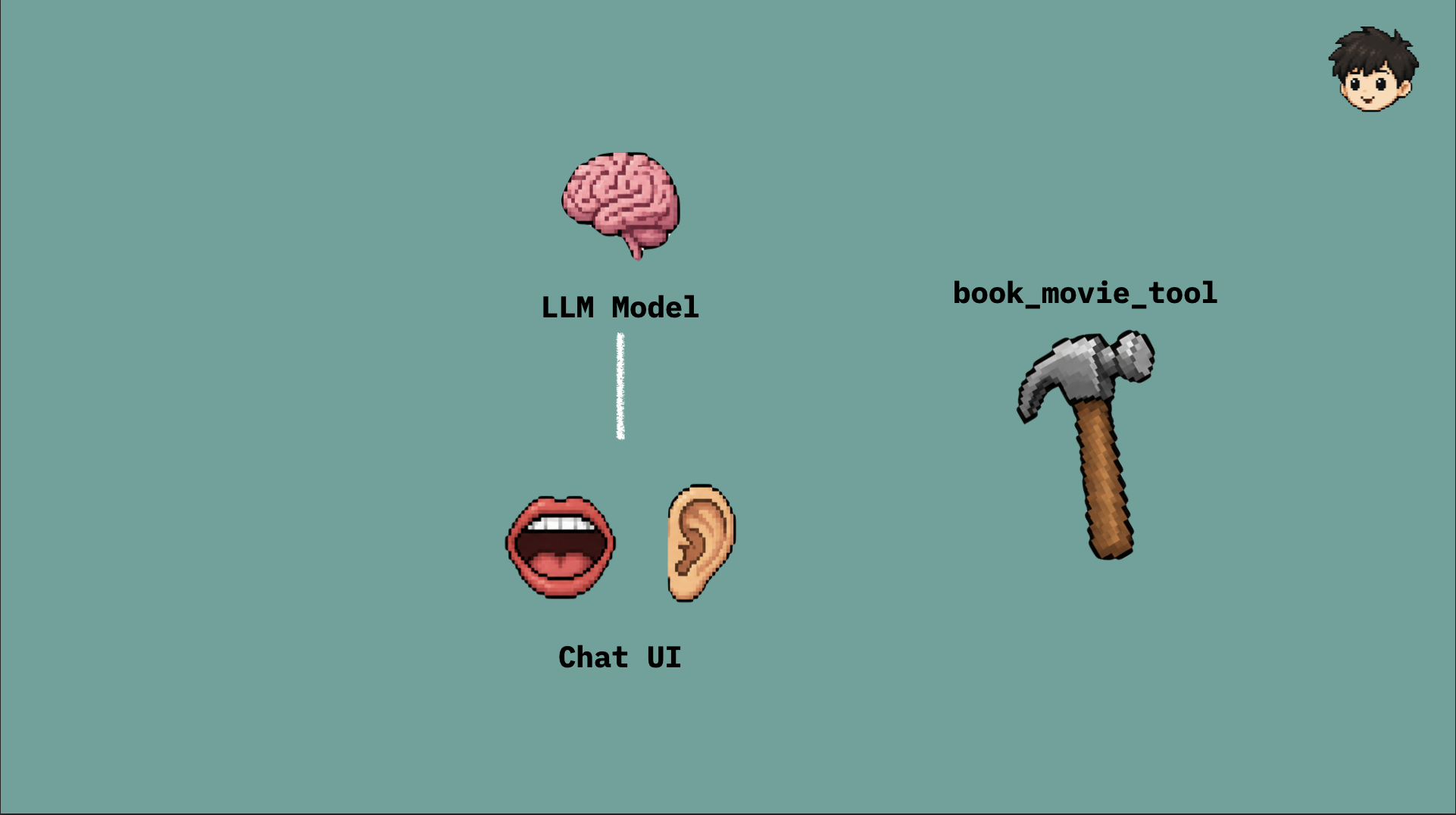
The brain analogy holds because a model is great at processing information and forming answers — but if you want it to act, it needs tools to reach for. That’s exactly what Function Calling provides.
What Is Function Calling / Tools
Before we get to MCP, we need to understand how AI can actually “call external tools” in the first place.
Function Calling (or Tools) is the concept that lets AI invoke functions or tools outside the model — things like calling an API, querying a database, running a function, or interacting with tools in our application.
The key thing to understand here: the model doesn’t execute those things directly. The model’s job is to decide which tool to call and what inputs to pass. Then our application or agent runtime takes that decision, runs it against the real system, and feeds the result back to the model to form a response for the user.
Most major LLMs support this today — OpenAI Function Calling / Tools, Anthropic Claude Tool Use, and Google Gemini Function Calling, among others.
Example: AI Calling an API or Function in Your App
Say we have a movie booking app with APIs for booking tickets and fetching showtimes. We can define tools that interface with those APIs:
book_movie_tool— takes 4 parameters: movie ID, time, number of tickets, and customer nameget_showtimes_tool— takes 2 parameters: movie ID and date
Then a user tells the AI: “Book me 2 tickets for Toy Story 5 at 8 PM.”
The AI decides it should call book_movie_tool with the right parameters:
- Movie ID = movie_001
- Time = “2026-06-03T20:00:00+07:00”
- Tickets = 2
- Name = “Jirachai”
sequenceDiagram
    autonumber

    actor User as User
    participant App as Application / Agent Runtime
    participant LLM as AI Model / LLM
    participant Tool as book_movie_tool
    participant API as Movie Booking API

    User->>App: "Book 2 tickets for Toy Story 5 at 8 PM"
    App->>LLM: Send prompt + available tool descriptions<br/>(book_movie_tool takes movie, time, tickets, name)

    LLM-->>App: Choose book_movie_tool<br/>movie="Toy Story 5", time="20:00"<br/>tickets=2, name="Jirachai"

    App->>App: Validate permission<br/>and input

    App->>Tool: Execute book_movie_tool(movie, time, tickets, name)
    Tool->>API: POST /bookings<br/>{ movie, time, tickets, name }
    API-->>Tool: { booking_id: "BK-001", status: "confirmed" }

    Tool-->>App: Tool result: Booking confirmed (BK-001)
    App->>LLM: Send tool result back to model

    LLM-->>App: Generate final response
    App-->>User: "Your Toy Story 5 tickets for 8 PM are all set! 🎬"
Pretty straightforward so far.
graph LR
    User([User]) --> Agent[Agent]
    Agent --> LLM[LLM selects tool]
    LLM --> AgentExec[Agent executes tool]
    AgentExec --> API[Call API]
    API --> APIResponse[API response]
    APIResponse --> AgentResp[Agent responds to User]
Now let’s look at the actual TypeScript and see what each step involves.
1. Write the function you want the AI to call
Start with a plain TypeScript function — it takes some parameters and fires off a call to the real API. Nothing here touches AI yet; it’s purely our own app logic.
async function bookMovie(params: {
  movieId: string
  time: string
  tickets: number
  name: string
}): Promise<{ bookingId: string; status: string }> {
  const response = await fetch('https://api.example.com/bookings', {
    method: 'POST',
    headers: { 'Content-Type': 'application/json' },
    body: JSON.stringify(params),
  })
  return response.json()
}
2. Define a tool schema so the AI knows what’s on offer
Now it’s time to tell the AI: here’s a tool, this is its name, this is what it does, and these are the inputs it needs. Think of this as the “menu” we hand the AI to read before it decides which tool to pick up.
import type { ChatCompletionTool } from 'openai/resources'

const tools: ChatCompletionTool[] = [
  {
    type: 'function',
    function: {
      name: 'book_movie',
      description: 'Book movie tickets. Use when the user wants to book movie tickets.',
      parameters: {
        type: 'object',
        properties: {
          movieId: {
            type: 'string',
            description: 'The movie ID, e.g. movie_001',
          },
          time: {
            type: 'string',
            description: 'Desired showtime in ISO 8601 format, e.g. 2026-06-03T20:00:00+07:00',
          },
          tickets: {
            type: 'number',
            description: 'Number of tickets to book',
          },
          name: {
            type: 'string',
            description: 'Name of the person booking',
          },
        },
        required: ['movieId', 'time', 'tickets', 'name'],
      },
    },
  },
]
3. Wire it up to the AI and handle the tool call
The last step is to attach the tools to the message, then handle the moment the AI decides to call one — when it does, we execute the real function and send the result back so the AI can turn it into a final answer for the user.
import OpenAI from 'openai'

const client = new OpenAI({ apiKey: process.env.OPENAI_API_KEY })

async function chat(userMessage: string): Promise<string> {
  // send the tools so the AI knows which ones it can choose from
  const response = await client.chat.completions.create({
    model: 'gpt-4o',
    messages: [{ role: 'user', content: userMessage }],
    tools,
  })

  const message = response.choices[0].message

  // the AI answered without calling a tool — return the response directly
  if (!message.tool_calls?.length) {
    return message.content ?? ''
  }

  // the AI chose to call a tool — execute the real function and collect the result
  const toolResults = await Promise.all(
    message.tool_calls.map(async (toolCall) => {
      if (toolCall.function.name === 'book_movie') {
        const args = JSON.parse(toolCall.function.arguments)
        const result = await bookMovie(args)
        return {
          tool_call_id: toolCall.id,
          role: 'tool' as const,
          content: JSON.stringify(result),
        }
      }
    }),
  )

  // send the tool result back to the AI to produce the final answer
  const final = await client.chat.completions.create({
    model: 'gpt-4o',
    messages: [
      { role: 'user', content: userMessage },
      message,
      ...(toolResults.filter(Boolean) as OpenAI.Chat.ChatCompletionToolMessageParam[]),
    ],
    tools,
  })

  return final.choices[0].message.content ?? ''
}
When Tools Multiply, So Do the Problems
At first you might have just a handful of tools — one for booking tickets, one for searching something. But as the system grows, the tool list grows with it: restaurant reservations, online shopping, calendar management, customer lookups, order status checks, connections to various internal systems…
More tools means more complexity. Beyond just making each tool work, you now have to think about shared standards: input/output formats, error handling, authentication, authorization, logging, monitoring — the whole nine yards.
Without good practices from the start, these issues have a way of quietly stacking up until you end up with a real mess on your hands.
Picture having 20–30 tools. Here are some of the problems that start showing up:
1. No Unified Standard
Different tools might be built by different teams, each with different naming conventions, error formats, authentication methods, or input/output structures.
The result? Maintenance and debugging become a headache, because developers have to re-learn the quirks of each tool rather than relying on a single consistent system.
2. Context Window Bloat
When we send tools to the LLM for it to choose from, we have to include their schema or definition in the prompt.
With a large number of tools, a significant chunk of tokens gets eaten up by those definitions rather than being available for the LLM to do its actual job — understanding the question, analyzing context, generating a quality response.
On top of that, too many options can confuse the LLM, causing it to pick the wrong tool or call something that doesn’t fit the situation.
3. Platform Lock-In
Each AI platform — OpenAI, Anthropic, Google — may have its own format for defining tools.
If you ever need to switch LLMs or support multiple providers at once, you might have to rewrite or adapt all your tool definitions for each platform. That’s duplicate work and more things to maintain long-term.
4. Every AI App Rebuilds the Same Tools
An organization might run several AI applications: a customer-facing chatbot, an internal assistant, a support agent, an ops workflow automator.
Each one might need to connect to the same underlying services — the same database, CRM, ticketing system, or internal APIs — but still ends up building its own separate integration and tool definitions.
You get the same problem repeating: same services, integrations scattered everywhere, no shared standard, nothing easy to reuse.
This is exactly the problem MCP (Model Context Protocol) was designed to solve.
MCP is designed to be a universal standard for connecting AI applications to tools, data sources, and external systems — without building a bespoke integration from scratch every time. It makes tools more reusable, gives them a consistent structure, and reduces the maintenance burden as your tool count grows.
What Is MCP
MCP stands for Model Context Protocol — an open standard designed to help AI applications connect to tools, data sources, and external systems in a more structured, consistent way.
If the LLM is the brain, MCP is the arms and hands — what lets that brain reach out and actually grab the tools it needs (Function Calling / Tools) to do real work.
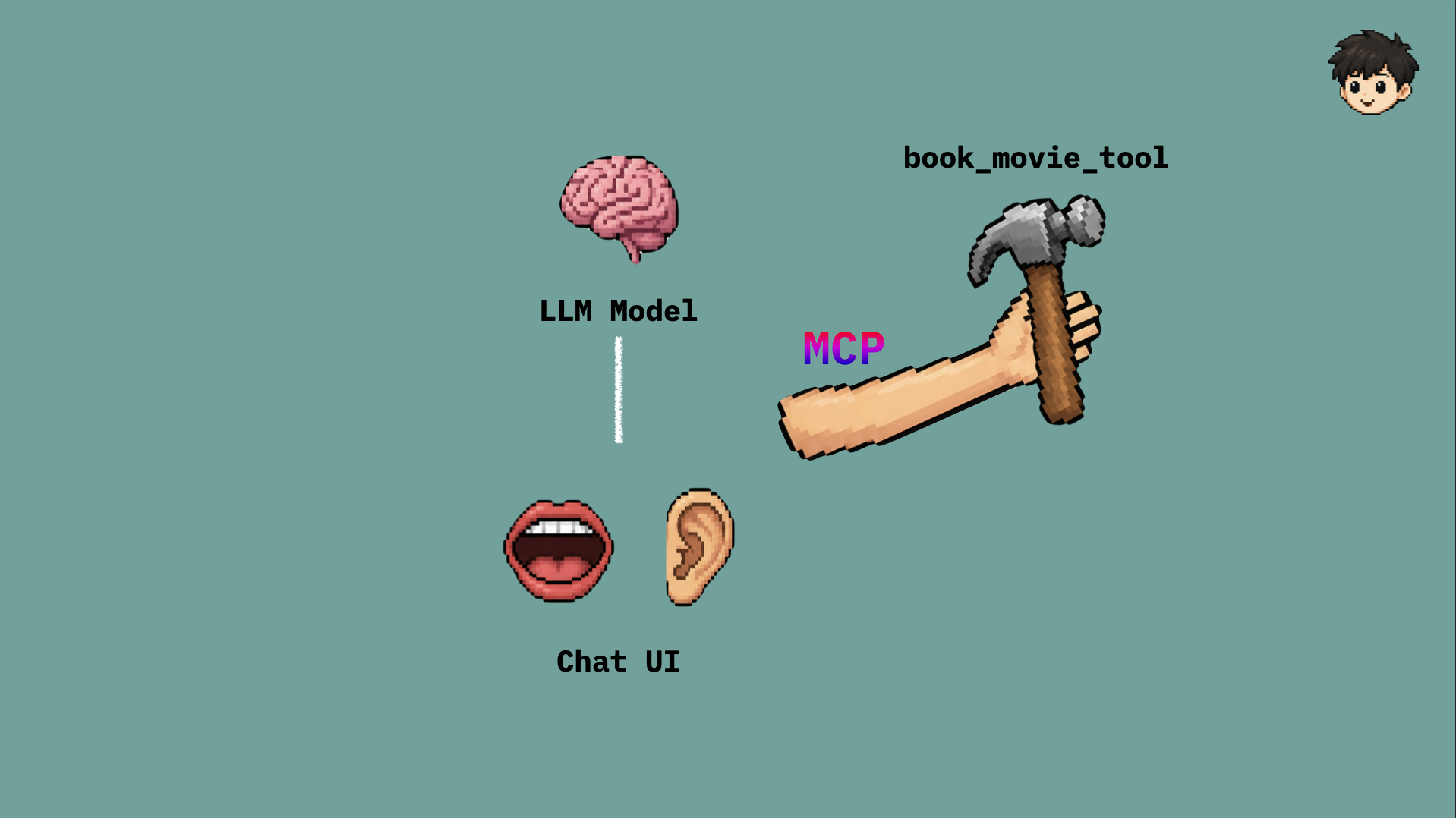
A more precise analogy: MCP is the USB-C for AI and Tools. Instead of every AI application building its own custom integration for every service, those services can expose their capabilities through an MCP server — and any MCP-compatible AI application can plug in using the same standard.
graph LR
    subgraph Clients["🤖 MCP Clients (AI Apps)"]
        C1[Claude Desktop]
        C2[VS Code / Cursor]
        C3[Custom AI App]
    end

    subgraph Protocol["⚡ MCP Protocol\n(Universal Standard)"]
        MCP[MCP Server]
    end

    subgraph Tools["🛠️ Tools / Services"]
        T1[📁 File System]
        T2[🗄️ Database]
        T3[🌐 REST API]
        T4[📅 Calendar]
        T5[📦 Any Service...]
    end

    C1 -->|MCP| MCP
    C2 -->|MCP| MCP
    C3 -->|MCP| MCP

    MCP --> T1
    MCP --> T2
    MCP --> T3
    MCP --> T4
    MCP --> T5
Read more about MCP in the official documentation.
How MCP Lets AI “Control” Your App
When we say AI “controls” your app, we don’t mean it’s running loose with unlimited access. We mean it can invoke specific capabilities of your app or external systems — through an interface you define explicitly.
For example, if you have a cinema system, you might expose certain capabilities through an MCP server:
- Search showtimes for each movie
- Check seat availability for a given show
- Book tickets and check booking status
- Open a support case when a customer hits a snag with their booking
- Pull a member summary and loyalty points from your CRM
- Fetch data from a database to help answer questions
Once an AI application connects to your MCP server, it can see what tools are available, what inputs each tool expects, and what output format it returns.
Here’s what the overall flow looks like:
graph LR
    User([User]) --> AIApp[AI Application]
    AIApp --> LLM[LLM]
    LLM --> AIApp
    AIApp --> MCPClient[MCP Client]
    MCPClient --> MCPServer[MCP Server]
    MCPServer --> Tool1[Showtime Service]
    MCPServer --> Tool2[Booking Service]
    MCPServer --> Tool3[Member Database]
    Tool1 --> MCPServer
    Tool2 --> MCPServer
    Tool3 --> MCPServer
    MCPServer --> MCPClient
    MCPClient --> AIApp
    AIApp --> User
From a developer’s perspective, we’re not letting AI call our APIs directly without guardrails. We’re the ones who design the MCP server — we decide what AI can and can’t do, what data it needs to pass in, and what results it gets back.
In other words, the MCP server acts as a controlled gateway between the AI application and our actual systems.
Before/After Architecture
Without MCP, the typical setup for a cinema system looks like this — each AI application builds its own tools, wires up its own service connections, and manages its own integrations end-to-end.
graph LR
    App1[Customer Chatbot] --> ToolA1[Showtime Tool]
    App1 --> ToolB1[Booking Tool]
    App1 --> ToolC1[Member Tool]

    App2[Internal Assistant] --> ToolA2[Showtime Tool]
    App2 --> ToolB2[Booking Tool]
    App2 --> ToolC2[Member Tool]

    ToolA1 --> Showtime[Showtime API]
    ToolA2 --> Showtime
    ToolB1 --> Booking[Booking API]
    ToolB2 --> Booking
    ToolC1 --> Member[Member / Database]
    ToolC2 --> Member
Even though all these apps are hitting the same cinema backend, each one has its own separate tool definitions and integrations. Any change to an API, authentication method, error format, or business logic means tracking down and updating multiple places.
With MCP, you move all of that connection logic into a single MCP server, and let multiple AI applications connect through a common standard.
graph LR
    App1[Customer Chatbot] --> MCP[MCP Server]
    App2[Internal Assistant] --> MCP
    App3[Support Agent] --> MCP

    MCP --> Showtime[Showtime API]
    MCP --> Booking[Booking API]
    MCP --> Member[Member / Database]
The result: centralized integrations, easier reuse, and far less overhead from maintaining duplicated tools across multiple apps.
Code Example: With vs Without MCP
Let’s look at the actual code and see how the two differ.
Without MCP — the tool lives inside the app
This is exactly what we’ve been doing all along — the tool definition, the logic, and the handler all sit inside the same app. The moment another app wants the same tool, you have to copy the code over and build it again.
graph TD
    User1([👤 User]) --> App1
    User2([👤 User]) --> App2

    subgraph App1["📱 App 1 — Customer Chatbot"]
        LLM1[🧠 LLM]
        Tools1["📋 book_movie schema\n⚙️ bookMovie()"]
        LLM1 -->|select tool| Tools1
    end

    subgraph App2["📱 App 2 — Internal Assistant\n⚠️ has to copy everything again"]
        LLM2[🧠 LLM]
        Tools2["📋 book_movie schema\n⚙️ bookMovie()"]
        LLM2 -->|select tool| Tools2
    end

    Tools1 -->|execute| API[🎬 Booking API]
    Tools2 -->|execute| API
// tool definition lives in the app — every app has to duplicate it
const tools: ChatCompletionTool[] = [
  {
    type: 'function',
    function: {
      name: 'book_movie',
      description: 'Book movie tickets',
      parameters: {
        type: 'object',
        properties: {
          movieId: { type: 'string' },
          time: { type: 'string' },
          tickets: { type: 'number' },
          name: { type: 'string' },
        },
        required: ['movieId', 'time', 'tickets', 'name'],
      },
    },
  },
]

// the real function lives here too
async function bookMovie(params: { movieId: string; time: string; tickets: number; name: string }) {
  const res = await fetch('https://api.example.com/bookings', {
    method: 'POST',
    body: JSON.stringify(params),
  })
  return res.json()
}

// handle the tool call inside the same app
if (toolCall.function.name === 'book_movie') {
  const args = JSON.parse(toolCall.function.arguments)
  const result = await bookMovie(args)
  // ...
}
With MCP — pull the tool out into an MCP Server
With MCP, we pull the tool logic out into a separate server. Whichever AI app wants it just connects to this server — no copying code into every app.
graph TD
    User1([👤 User]) --> App1
    User2([👤 User]) --> App2

    subgraph App1["📱 App 1 — Customer Chatbot"]
        LLM1[🧠 LLM]
        Client1[MCP Client]
        LLM1 -->|select tool| Client1
    end

    subgraph App2["📱 App 2 — Internal Assistant"]
        LLM2[🧠 LLM]
        Client2[MCP Client]
        LLM2 -->|select tool| Client2
    end

    Client1 -->|MCP Protocol| MCPServer
    Client2 -->|MCP Protocol| MCPServer

    subgraph MCPServer["🛠️ MCP Server (one place — shared by every app)"]
        ToolDef["📋 book_movie schema\n⚙️ bookMovie()"]
    end

    MCPServer -->|execute| API[🎬 Booking API]
On the MCP Server side — where the tool actually lives:
import { McpServer } from '@modelcontextprotocol/sdk/server/mcp.js'
import { StdioServerTransport } from '@modelcontextprotocol/sdk/server/stdio.js'
import { z } from 'zod'

const server = new McpServer({ name: 'movie-booking', version: '1.0.0' })

// register the tool with a Zod schema — no more hand-writing JSON Schema
server.tool(
  'book_movie',
  'Book movie tickets. Use when the user wants to book tickets.',
  {
    movieId: z.string().describe('The movie ID, e.g. movie_001'),
    time: z.string().describe('Desired showtime, ISO 8601'),
    tickets: z.number().describe('Number of tickets to book'),
    name: z.string().describe('Name of the person booking'),
  },
  async (params) => {
    const res = await fetch('https://api.example.com/bookings', {
      method: 'POST',
      body: JSON.stringify(params),
    })
    const result = await res.json()
    return { content: [{ type: 'text', text: JSON.stringify(result) }] }
  }
)

// start the server and wait for connections
const transport = new StdioServerTransport()
await server.connect(transport)
On the AI App side — connect to the MCP Server and pull the tools straight in:
import { Client } from '@modelcontextprotocol/sdk/client/index.js'
import { StdioClientTransport } from '@modelcontextprotocol/sdk/client/stdio.js'
import OpenAI from 'openai'

// connect to the MCP Server
const transport = new StdioClientTransport({
  command: 'node',
  args: ['./booking-server.js'],
})
const mcpClient = new Client({ name: 'my-ai-app', version: '1.0.0' })
await mcpClient.connect(transport)

// pull the tool list from the MCP Server and convert it to OpenAI's format
const { tools: mcpTools } = await mcpClient.listTools()
const openaiTools = mcpTools.map((t) => ({
  type: 'function' as const,
  function: { name: t.name, description: t.description, parameters: t.inputSchema },
}))

// hand it to the AI exactly as before — no need to know where the tool lives
const openai = new OpenAI()
const response = await openai.chat.completions.create({
  model: 'gpt-4o',
  messages: [{ role: 'user', content: 'Book tickets for Toy Story 5 at 8 PM' }],
  tools: openaiTools,
})

// once the AI picks a tool, just call it through the MCP Client
const toolCall = response.choices[0].message.tool_calls?.[0]
if (toolCall) {
  const result = await mcpClient.callTool({
    name: toolCall.function.name,
    arguments: JSON.parse(toolCall.function.arguments),
  })
  console.log(result.content)
}
Our app side doesn’t need to know anything about how the tool works under the hood — it only needs to know what the MCP Server offers. When the AI decides to call one, we hand it off to the MCP Client. And if one day you want to add a new tool or fix old logic, you fix it in a single place on the server, and every connected app sees the new tool right away.
Use Cases for Developers
For developers, MCP isn’t just useful for wiring AI into external systems — it can also help you build a better developer experience in general. A few examples:
1. Let AI Query Your Database
You can build an MCP server that exposes specific database capabilities for AI to use — querying member records, checking bookings, summarizing ticket sales per show, or running semantic search against a vector database.
The key point: don’t just open the whole database. Define specific, named tools like get_member_by_id, search_bookings, get_showtimes_by_branch, or semantic_search_movies. This keeps the scope tight and the risk low.
2. Let AI Work with Internal APIs
A cinema operator already has internal APIs too — showtime scheduling, membership, CRM, seat management, promotion approval workflows, and so on.
Instead of every AI application writing its own integration for all of these, you can build an MCP server as an intermediate layer that exposes only the safe, necessary actions: open a booking issue case, check booking status, fetch member info, draft a promotion.
3. Let AI Assist in Support Workflows
For support or operations teams, MCP can give AI agents the ability to pull from multiple systems and synthesize the results — fetch member info from CRM, check bookings from the booking service, check seat availability from the showtime service, then hand the staff a consolidated answer.
This moves AI from being just a chatbot that reads a knowledge base to actually working with live data that lives inside your organization’s systems.
4. Let AI Help Developers in the IDE
MCP is also a solid fit for developer tooling — giving AI in your IDE the ability to read project structure, search files, understand schema, pull logs, or connect to deployment systems.
When AI has more real context from your actual systems, the answers stop being generic advice and start being specific, actionable insights about your particular project.
Things to Watch Out For
MCP makes tool integration more systematic, but that doesn’t mean you should open everything up to AI right away. Security and governance still need serious thought when you design your MCP server.
Things to keep in mind:
- Authentication and Authorization: Be explicit about who can call which tool, and within what scope.
- Input validation: Never trust AI-generated input blindly. Always validate before passing it to the real system.
- Least privilege: Give AI access only to what it actually needs. Don’t over-provision permissions.
- Audit logs: Record what tool was called, when, with what inputs, and what result came back.
- Human approval: For high-impact operations — canceling bookings, refunding tickets, changing promotions, sending messages to real customers — build in a human review step first.
- Error handling: Design clear, consistent error formats so AI understands what went wrong and can communicate it back to the user properly.
MCP brings more structure to your tools, but security is still your responsibility to design and enforce.
Wrapping Up
In the world of AI applications, getting AI to “answer questions” is just the starting line. If you want AI to actually do things, it needs to be able to connect to tools and external systems safely.
Function Calling / Tools gets AI there — but as the tool count grows, the problems around standards, maintenance, context window usage, and platform lock-in become very real.
MCP steps in as the universal standard that makes it easier for AI applications to connect to tools, data sources, and external systems — more organized, more reusable, and more maintainable at scale.
For developers, the interesting part is that MCP isn’t just an architectural concept. It’s a practical approach for building AI applications that connect to real systems in a way that actually holds up as things grow.
In the next episode, we’ll get our hands dirty and build a simple MCP server, wire it up for AI to call, and see how this all plays out in a real application. See you then! :D
by Jirachai C.